
 DiskStation Manager 6.2
Meeting Your Future Storage Needs
New! Synology DiskStation Manager 7.4
Released June 16, 2026, DSM 7.4 brings AI-guided management, smarter collaboration, and higher storage efficiency to Synology NAS. Highlights include:
- DSM Agent — a built-in AI advisor that delivers contextual recommendations and guidance directly within the operating system, lowering the barrier to advanced configuration and proactive system management. A future DSM Agent 2.0 update will expand into agentic workflows driven by natural language.
- Smarter collaboration with full data privacy — open betas of Synology ChatPlus and Meet add enterprise-grade communication with granular permission controls, fully on-premises deployment, and AI-powered live translation. Synology Drive also adds AI Search for systems with GPU support.
- Optimized storage efficiency — a new Storage Efficiency feature brings post-processing deduplication and compression to HDD-based volumes to significantly reduce the storage footprint, with flexible scheduling so data reduction runs without impacting performance.
Source: Synology releases DiskStation Manager 7.4 (official announcement). Feature availability varies by model; see the Synology release notes for supported models.
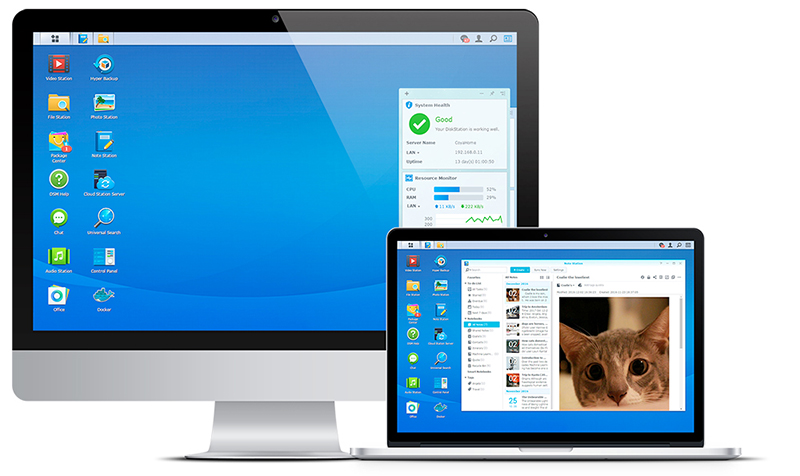
In DSM 6.2 Beta, we aim to provide better IT management flexibility and usability in every aspect. The new Advanced LUN, iSCSI Manager, and Storage Manager take management efficiency to a whole new level. Security update with no service downtime in SHA and abnormal DSM login detection bring you a more powerful but secure DSM.
The cutting-edge iSCSI service

The new Advanced LUN
Advanced LUN provides lightning-fast snapshot creation, recovery, cloning, plus VAAI/ODX support for improved VM performance.

Better performance
Sequential writing performance increased by 46% with the new Advanced LUN, enhancing storage efficiency.

Brand new iSCSI Manager
Built for IT administrators, the brand new interface optimizes iSCSI management and monitoring.
Snapshot Replication
- Create and manage snapshots efficiently
Experience fast snapshot management on shared folders and iSCSI LUNs. With the debut of Advanced LUN in DSM 6.2 Beta, LUN snapshot and replication can be finished within seconds.
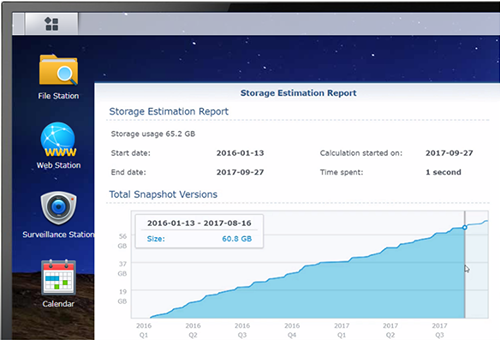
- View snapshot storage consumption at a glance
The snapshot calculator provides a transparent report on the storage space consumed by shared folder snapshots. IT administrators can utilize storage space more efficiently by deleting bulky snapshots.
Storage Manager
More refined, more sophisticated, inside and out
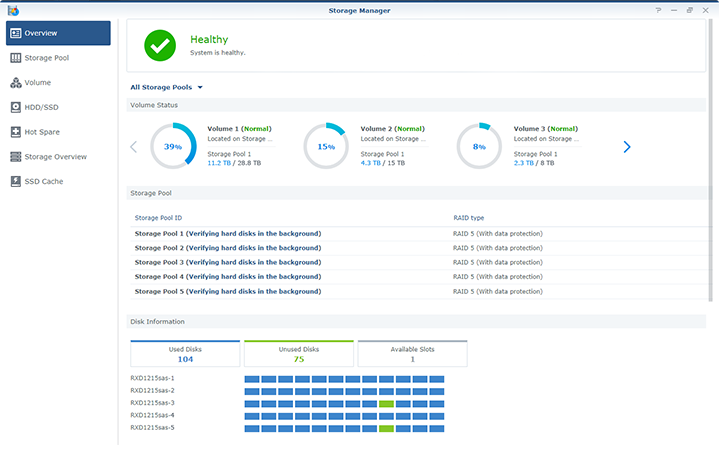
- Storage dashboard
The new overview page provides rich and comprehensive storage information as well as a friendly user interface for everyone. - More intuitive management
Storage pool now replaces RAID Group and Disk Group to unify storage structures, providing a consistent and smooth storage management experience. - Bit rot prevention
Smart data scrubbing can periodically check your storage to reduce the likelihood of silent data corruption and minimize the risk of uncorrectable errors.
Synology High Availability
A thorough refinement that brings optimized system updates, more intuitive operations, a faster initial setup, and a brand new monitoring tool.
- System update optimized
No more struggles between security updates and service availability. Non-essential reboots can now be avoided upon important system updates to maximize service uptime. - Essential operations redesigned
Cluster operations have been redesigned and become built-in to provide a secure and intuitive cluster management experience. - Accelerated initial setup
An additional method for initial cluster setup is now available to help you set up your SHA cluster within minutes. - Monitoring tool brings in-depth assessments
In addition to the system overview, a built-in resource monitor for both active and passive servers is now available for a more in-depth control of the SHA cluster.
System Enhancement
File protection and performance optimization
In DSM 6.2 Beta, businesses can enjoy the security and reliability of the Btrfs file system. Performance tuning is also easier than ever before.
- Btrfs on more models
The Btrfs file system is now supported on select Value series NAS. This delivers users the most advanced storage technology with features such as file self-healing, data consistency, and shared folder snapshots. - Performance tuning
Network traffic can now be adjusted to prioritize throughput or latency. The update allows users the flexibility to optimize service quality without having to modify complicated parameters.
Comprehensive Security Protection
Login protection and secure connection
Synology provides intelligent detection of abnormal login attempts and flexible secure connection profiles.
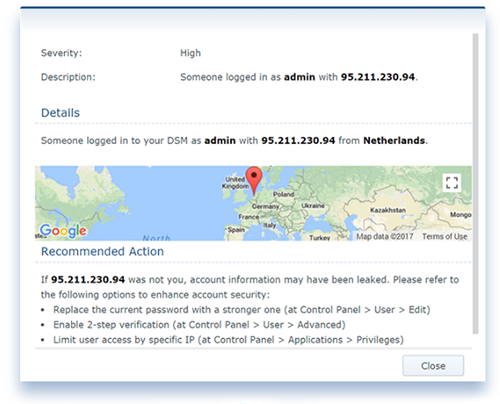
Security Advisor
Using intelligence techniques, Security Advisor can learn from the past login attempts, detect abnormal logins, and display the geolocation of the attacker. Moveover, users can easily generate daily and monthly DSM security reports.
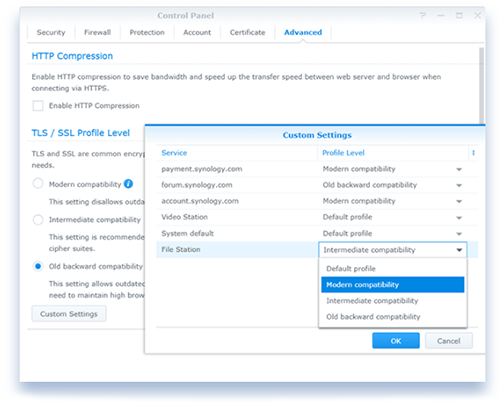
TLS/SSL Profile Level
A more advanced way to configure the security level profile based on different services, providing a customized solution to suit the security requirements of different networks.
A Whole new Package Center
Beautifully redesigned to help you make new discoveries
Featuring a rotating banner, clearer categorization, and enhanced search capability, the completely redesigned Package Center allows users to quickly find everything they need.